
Freebetrange Summer 2026 Update: Trainer, Academy & More
Since launching MDA, we haven’t made many big announcements. But that doesn’t mean we’ve slowed down.
Over the past few months, we’ve been continuously improving Freebetrange across the board — making the platform faster, easier to use, and more useful for everyday study and training.
We’ve worked on every major part of the product: significantly improved the Trainer experience, improved the GTO Library and Viewer, made hand imports more reliable, launched Freebetrange Academy, and significantly improved the mobile experience.
Most of these changes are small improvements rather than one big release. But together, they make Freebetrange a much more complete and convenient platform for studying preflop strategy.
Here’s a look at what we’ve been working on.
Trainer: Faster, More Intuitive, and Better on Mobile
The Trainer received major performance, design, and usability improvements. It now works even faster and more reliably, including with large amounts of training content and history.
We also reviewed the main Trainer workflows and made them more intuitive — from quickly starting a GTO session to organizing custom trainings and reviewing your previous results.
Quick Start for GTO
The GTO section now includes Quick Start, making it much faster to start practicing any solution from the GTO Library. Choose a solution, apply additional filters if needed — such as preflop action before you, your position, and your opponent’s position — and start training immediately.
Your previous GTO trainings are conveniently organized in folders. At any time, you can open a training from the list, review statistics from previous sessions, and start a new session with the same setup.
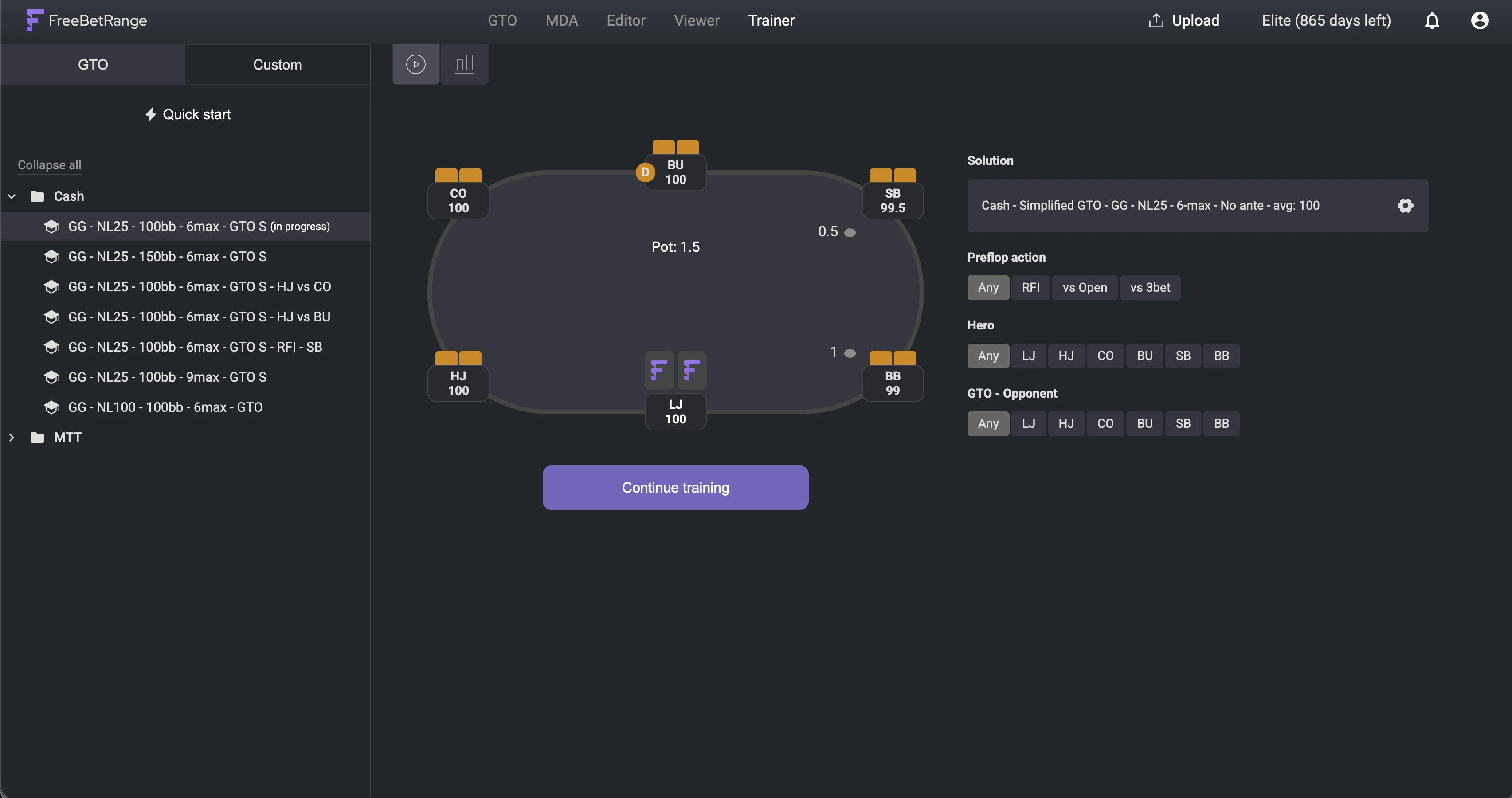
Freebetrange GTO Trainer: Quick start
Custom trainings and folders
In Custom mode, you can create your own trainings and organize them into folders however you like. Trainings and folders support drag & drop, making it easy to build and reorganize your personal training library as it grows.
Orange = partial answer on mixed hands
In Classic hand training, answers are no longer limited to green or red. When RNG is set to Auto or Manual, mixed hands can also receive an orange partial answer. Orange means you chose an action that is part of the correct mixed strategy, but it didn’t match the exact action required by the RNG.
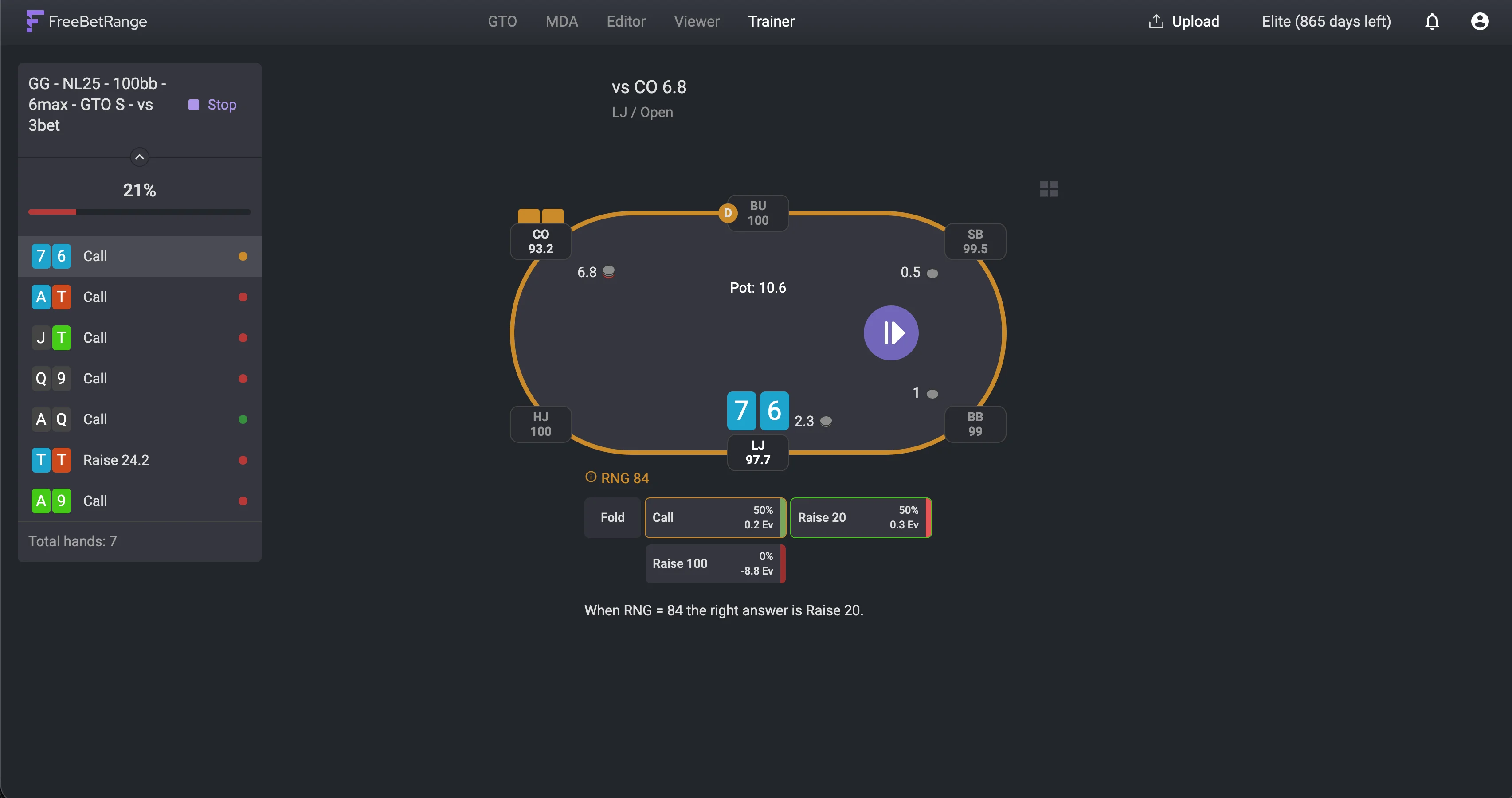
Freebetrange Trainer: Orange feedback - partly right
For example, if a hand is 50% Raise / 50% Call and the current RNG value requires a Raise:
- Raise → green (100% correct)
- Call → orange (50% correct)
- Fold → red (wrong)
With RNG set to No, any action that is part of the mix is considered fully correct, so answers remain green or red only.
Partial answers count as 50% success in your training history and statistics, giving you a more accurate picture of your overall performance.
This feedback better reflects how real GTO strategies work, especially when practicing frequency-based decisions.
A much better mobile Trainer experience
We went through the main Trainer workflows on mobile and redesigned them specifically for smaller screens. Throughout the process, we actively used user feedback and validated the changes through customer interviews and testing.
The mobile experience now includes a more convenient GTO / Custom switch, mobile-friendly GTO filters, clearer access to Quick Start, trainings, and statistics, and cleaner table and action controls during a hand.
The result is a Trainer that feels much more natural to use on your phone — whether you want to run a quick warm-up, continue an existing training, or review your results.
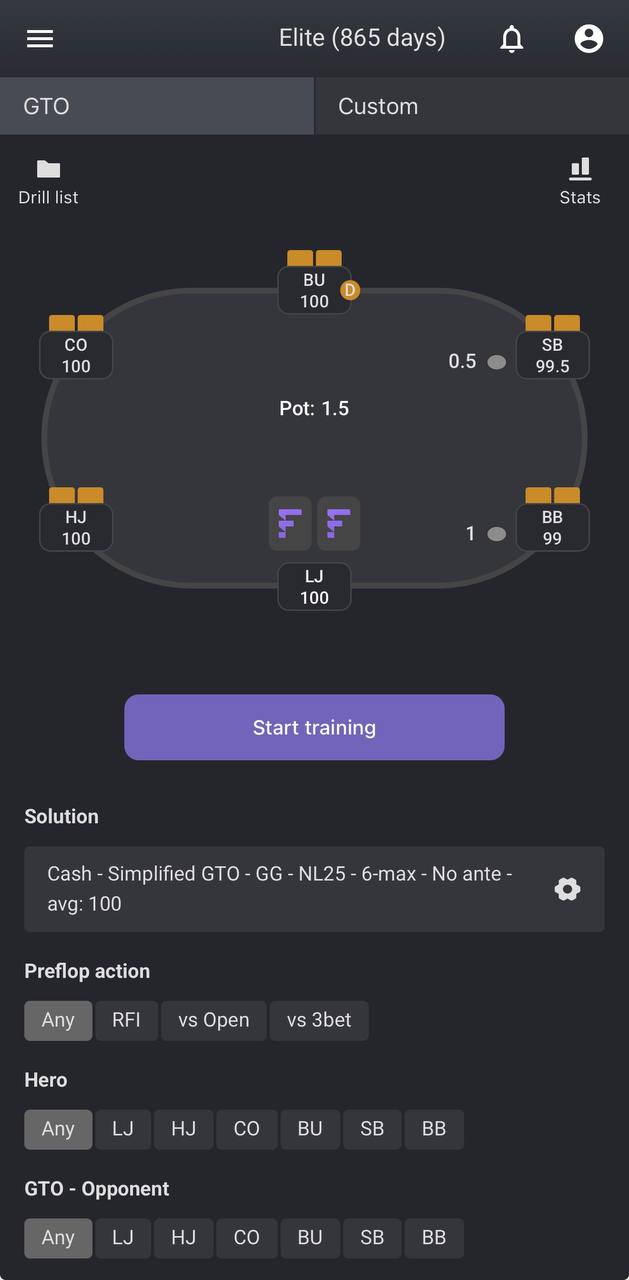
GTO Trainer: Mobile version
GTO Library improvements
We also made several changes to make the GTO Library easier to use, especially for players who are just getting started.
A simpler way to explore GTO solutions
We haven’t covered this change on the blog yet, but together with the MDA launch this spring, we also significantly improved and simplified the way you study GTO solutions in Freebetrange.
Previously, you had to add individual GTO solutions to your account before you could explore them. Now, all available strategies can be viewed directly in the GTO section — no need to add them one by one. Simply use the filters to choose the** game type, table size, stack depth, and other parameters**, and explore the full preflop rstrategy tree.
This makes browsing the GTO Library much faster and makes it easier to switch between different formats and solutions.
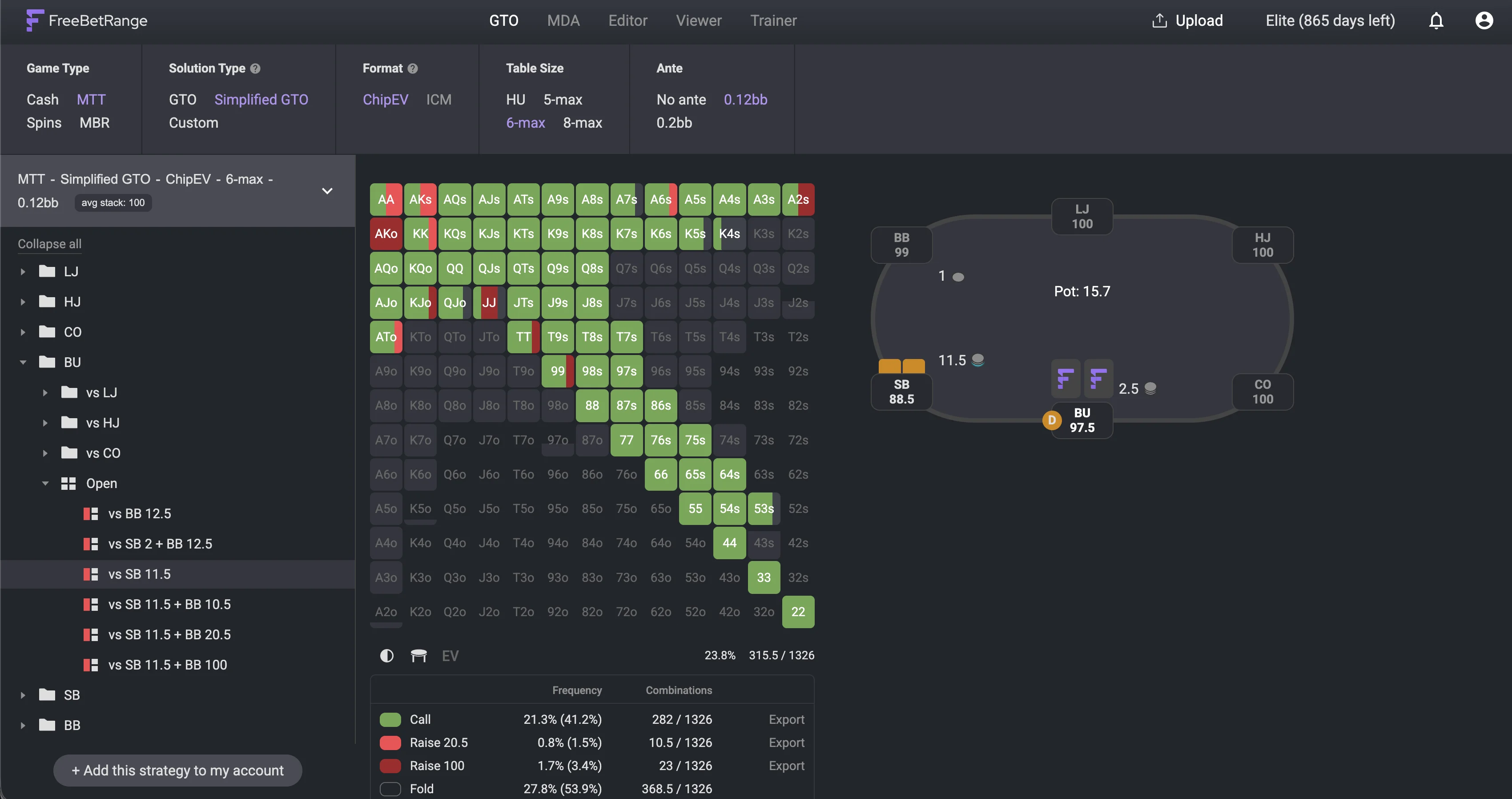
GTO Library by Freebetrange: explore full GTO preflop trees
EV Matrix in GTO
The GTO study experience now makes it easier to switch between the standard range view and the EV Matrix.
We also improved EV selection and highlighting across GTO and MDA. Selected hands and legend interactions now behave more consistently when analyzing a range.
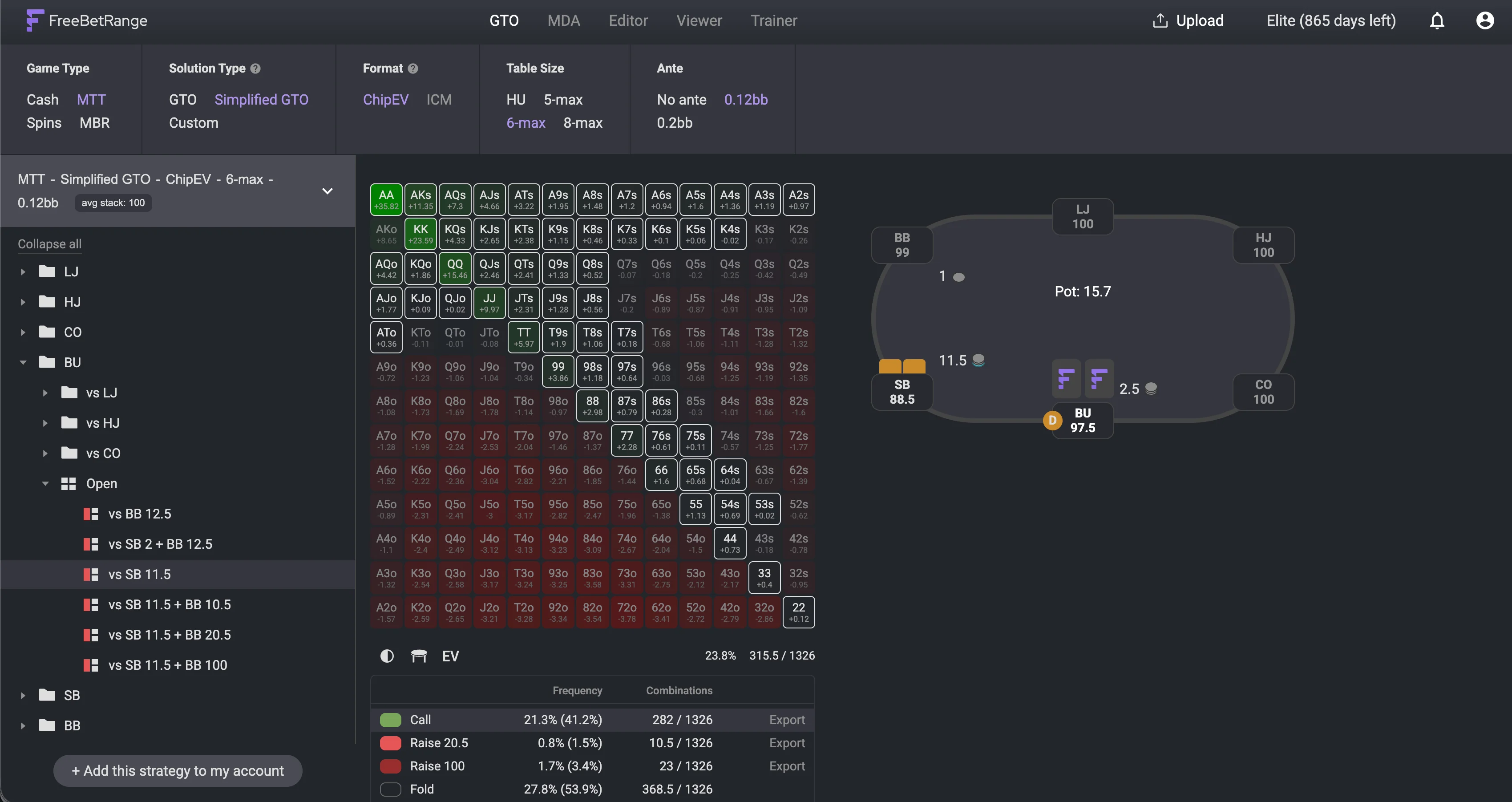
GTO Library: EV view
GTO and MDA on mobile
We also improved mobile browsing for both GTO and MDA.
The new mobile experience includes:
- compact filter panels
- clearer stack and average-stack selection
- improved tree navigation
- smoother loading and transitions
You can now browse and study ranges on your phone much more comfortably.
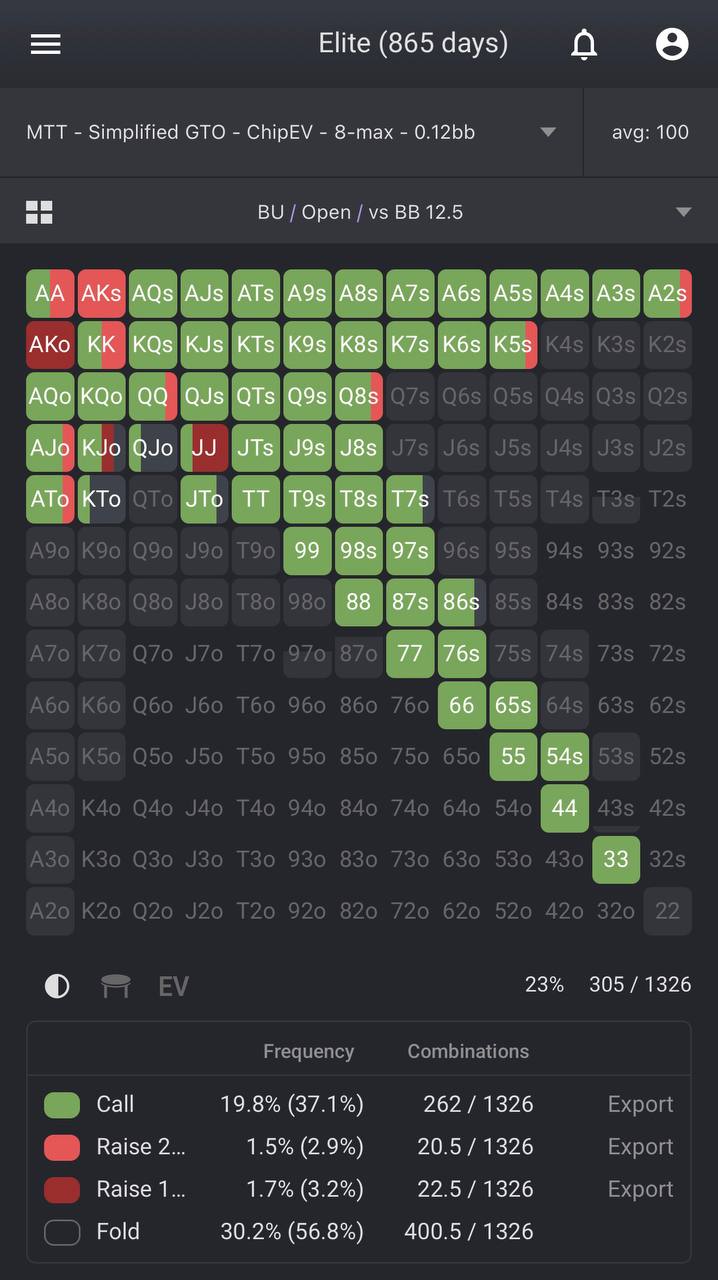
Freebetrange GTO Library: Mobile version
Viewer upgrades
The Viewer has also received a number of improvements. Both Single Range and Multiple Range modes received design and performance enhancements, making it faster and easier to explore ranges. You can quickly add ranges from three different sources: GTO, MDA, and your own custom ranges.
Clear labels above each range show exactly where it comes from, including the specific GTO or MDA solution, so it’s easy to understand what you’re viewing and compare ranges from different sources. You can also switch between available sources more easily.
This is particularly useful when comparing GTO, MDA, imported strategies, and your own custom ranges.
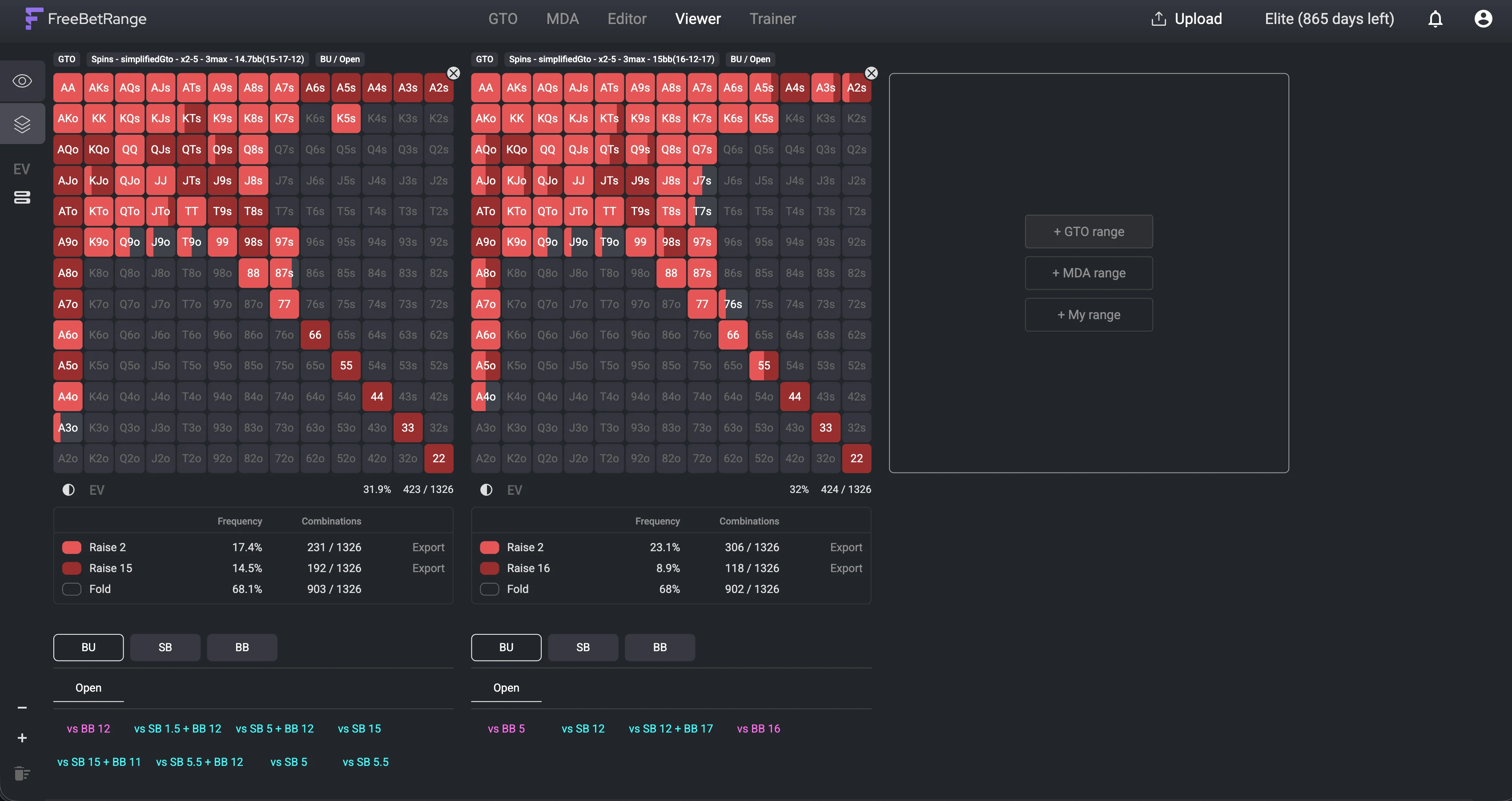
Freebetrange Multi-range Viewer
These are small changes, but they make everyday range study much smoother.
Import Hands improvements
After launching Import Hands, we continued improving support for real hand histories.
The latest updates include better parsing for GGPoker files, including:
- GG Rush & Cash hand histories (
#RC) - Hero hole cards from GG “Dealt to” lines
If some of your GGPoker uploads failed previously, it’s worth trying them again.
Import Hands remains an Elite feature and we’ll continue improving it based on real hand history uploads.
Freebetrange Academy
We also launched Freebetrange Academy — a free library of poker guides with a strong focus on preflop strategy.
The Academy covers topics such as:
- Basics — positions, combinatorics, reading the 13×13 matrix
- Preflop Strategy — ranges, sizing, common mistakes
- GTO & MDA — theoretical strategy and population tendencies
- Tools — how to use Freebetrange and build your own ranges
- Tournaments and Cash Games formats.
The idea is simple: Learn a concept → open Freebetrange → practice it.
The Academy is also available directly from the main website navigation.
Freebetrange for poker teams
A quick reminder: Freebetrange has a dedicated Teams Dashboard for poker schools, stables, and coaching groups. It lets you manage players and licenses, and track your students’ preflop training performance.
We’ve launched a new Freebetrange for Teams page that better explains how the product works for teams and makes it easier to get started. You can explore the available features, see how Freebetrange can fit into your team’s study process, and calculate pricing based on the number of players you want to add.
Better mobile experience
Mobile was a major part of this release cycle. We’ve already covered many of the improvements above across the Trainer, GTO Library, and Viewer, but the overall mobile experience deserves a separate mention. Freebetrange on mobile has reached a new level. You can now study ranges and train your preflop game on your phone with the same level of comfort and convenience as on desktop.
For the best experience, we recommend installing the Freebetrange progressive web app on your mobile device. It gives you quick access to Freebetrange directly from your home screen, so you can study and train anytime.
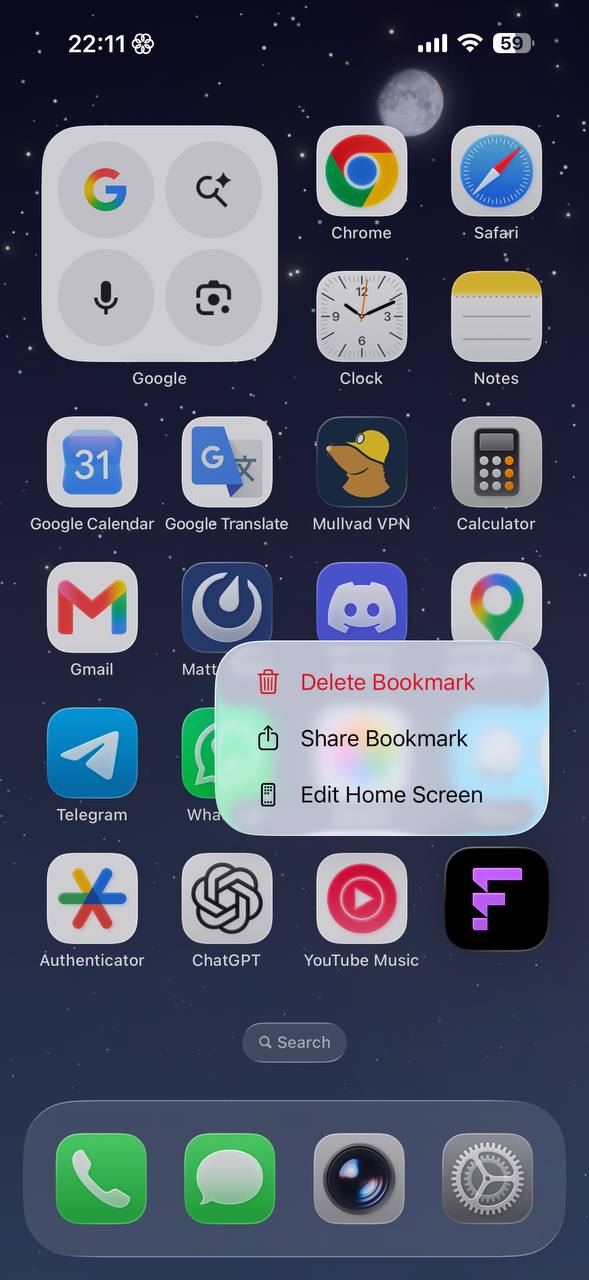
Freebetrange PWA on Iphone
What’s next
We’re continuing to work on the core study loop, with a particular focus on Trainer,GTO Library, and exploit workflows around MDA and real-hand analysis.
A lot of the features in this update came directly from user feedback. Join our Discord to participate in product development.
We’ll keep improving.